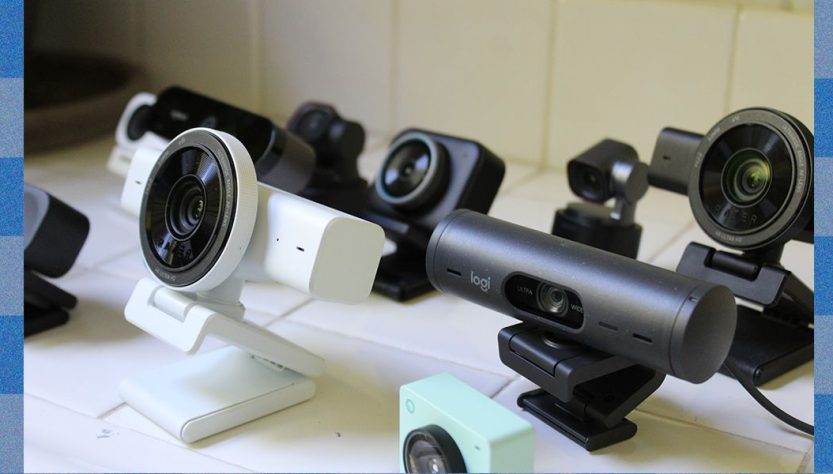
The Insta360 Link 2C Pro attaches firmly to its aluminum mount, ensuring stability even with the weight of the USB-C cable. This construction also facilitates smooth panning adjustments. In contrast to webcams with plastic mounts, like the Logitech MX Brio, the magnetic capability of the Insta360 can stick to any metal surface, providing versatility in shooting angles.
Regarding image quality, the Insta360 2C Pro shines in low-light situations compared to other webcams within its price bracket. Out of the box, it handles harsh lighting remarkably well. In various challenging scenarios, such as overhead and backlighting, it exceeded competitors by preserving highlight detail more effectively than pricier options like the Obsbot Tiny 3.
The image processing of the Insta360 delivers a natural contrast that surpasses alternatives like the Logitech MX Brio, which tends to crush blacks. With sufficient lighting, its sharpness is notable, bolstered by its 1/1.3-inch CMOS sensor, which produces a smooth bokeh effect reminiscent of a DSLR. Other webcams do not achieve this depth.
However, it is not without weaknesses. Occasionally, it applies excessive processing and smoothing, particularly on facial features. Additionally, straight out of the box, the colors seem a bit cool, but the software allows for straightforward tweaks. Priced at $200, the Insta360 2C Pro provides a better value compared to the Logitech MX Brio, despite Logitech’s well-established brand reputation.
At $150, the standard Insta360 Link 2C serves as a suitable alternative. It features a somewhat smaller sensor and aperture, which impacts low-light performance and increases noise in high-contrast areas. Still, it represents solid value for the cost.
The Link 2C does not include the dual-microphone system found in the 2C Pro, resulting in inferior voice quality. Nonetheless, at this price point, the Link 2C remains a leading choice, surpassing models like the Razer Kiyo V2 and Logitech Brio 4K.
For individuals looking for budget webcams, caution is recommended. If utilizing a laptop with a decent built-in camera, it’s wiser to invest in a higher-quality model or improve lighting, such as with the $70 Logitech Litra Glow, which significantly enhances video call quality.
However, for those using external monitors who require a budget option, the Anker PowerConf C200, priced at $66, is commendable. It has limitations such as a non-swiveling mount and weaker monitor grip, but its 5-megapixel camera performs satisfactorily in good lighting.
Finally, the $60 Logitech Brio 300 is a tentative suggestion. Its drawbacks include a less appealing mount and basic microphone. However, it provides better sound than many built-in laptop microphones. The fixed 70-degree field of view restricts framing compared to other webcams.